

Case Study
Ride-Sharing / Carpooling App | 2019
Role: UX/UI Designer
Tools: Adobe XD, MS Power Point, InVision
Tools: Adobe XD, MS Power Point, InVision
Overview
SPLT is a B2B ride-sharing app that matches co-workers for carpooling to and from work. Launched in early 2018, the app created trusted commuter communities within companies. Employees could view their match before accepting, communicate securely in-app, and switch flexibly between rider and driver roles. This case study covers the UX/UI redesign undertaken to solve critical usability and visual hierarchy issues in the original release.
Problem
The original SPLT app had several compounding usability issues:
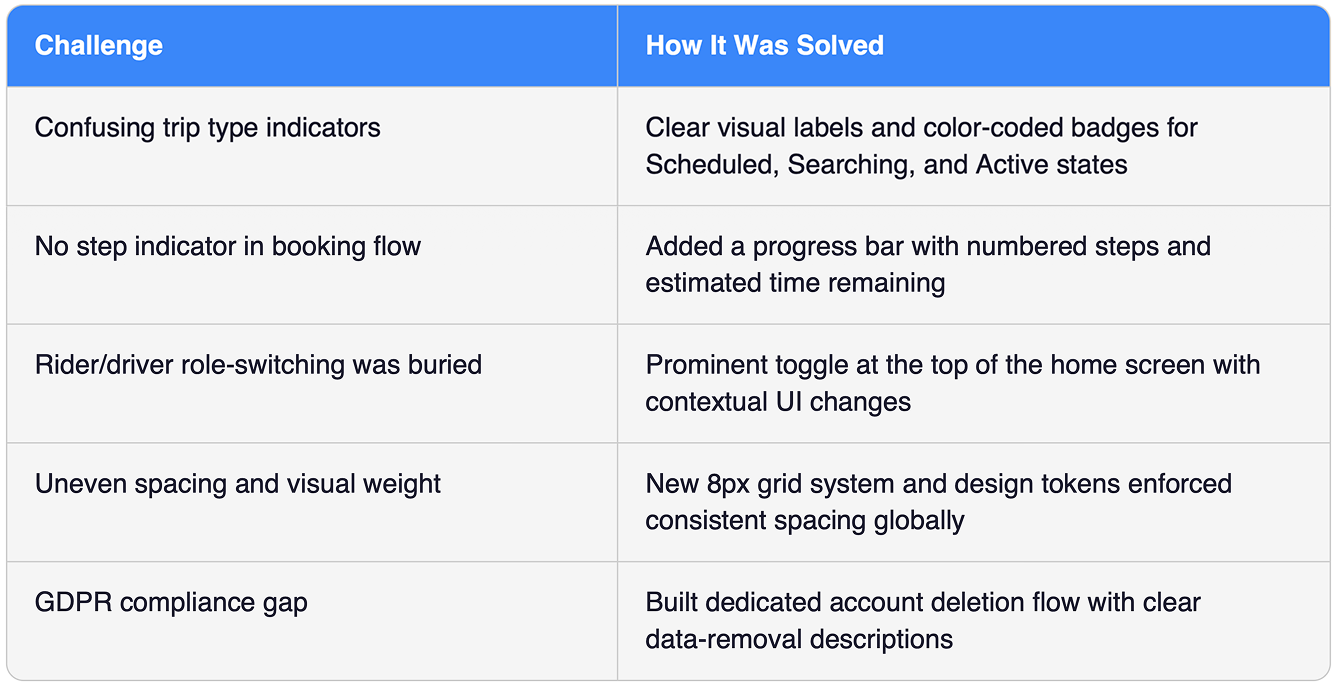
• Scheduling confusion: When setting up a trip, the UI made it difficult to distinguish between a scheduled trip and the selected day(s) of the week. Users couldn't tell if the app was searching for a rider or a driver.
• Poor visual hierarchy: Graphic weight was unevenly distributed — some areas had too little spacing, others too much, creating cognitive overload.
• Too many form steps: Although multi-step forms can improve conversion, the excessive number of screens with insufficient step indicators made the process feel cumbersome.
• Underlying technical debt: Existing bugs and performance issues needed resolution before any redesign could be effective.
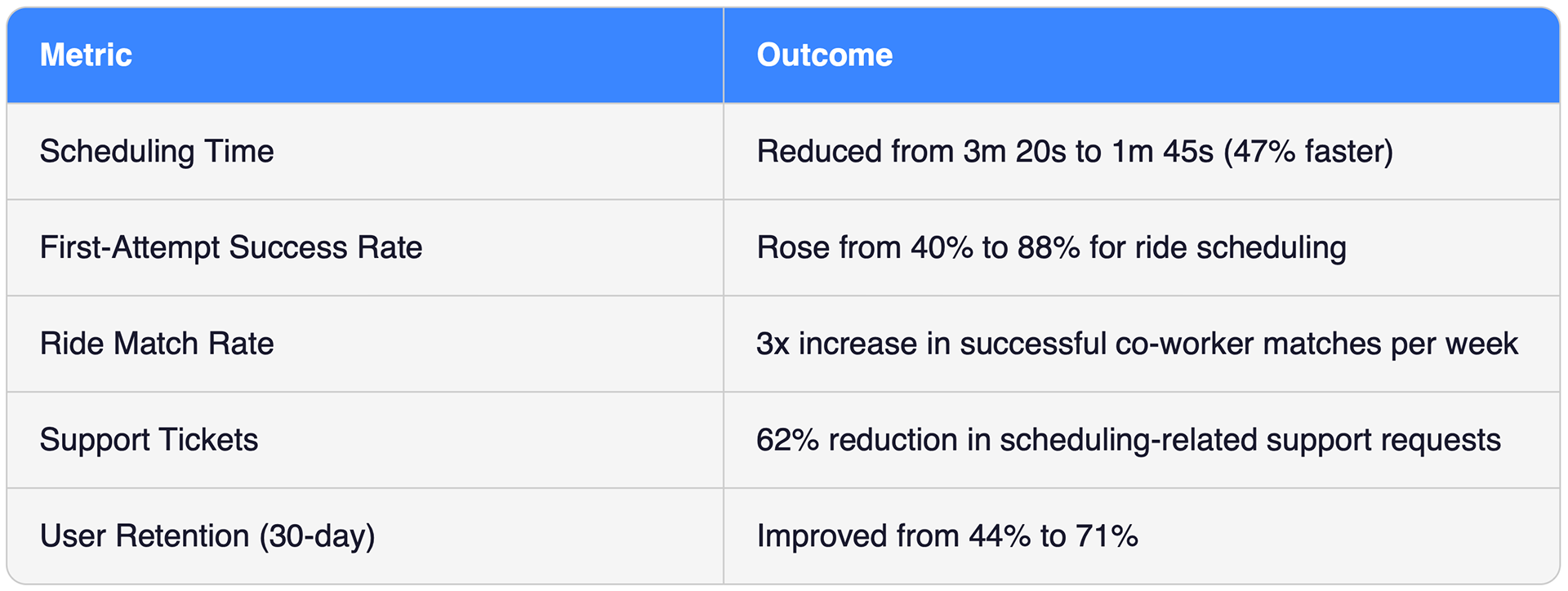
Usability testing with 25 employees showed that 60% couldn't complete a ride schedule on the first attempt without help.
Solution
The redesign addressed both UX flow and visual identity across four key workstreams:
• Streamlined scheduling flow: Reduced the ride-booking steps from 7 screens to 4 with larger, more intuitive visual cues and a clear step indicator.
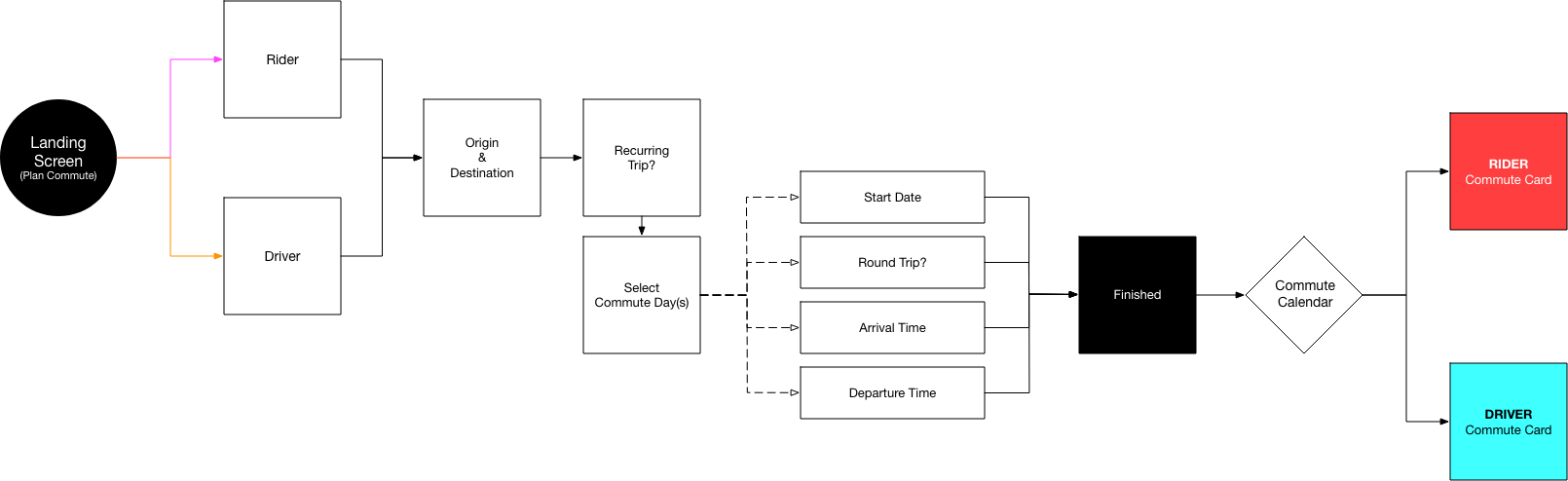
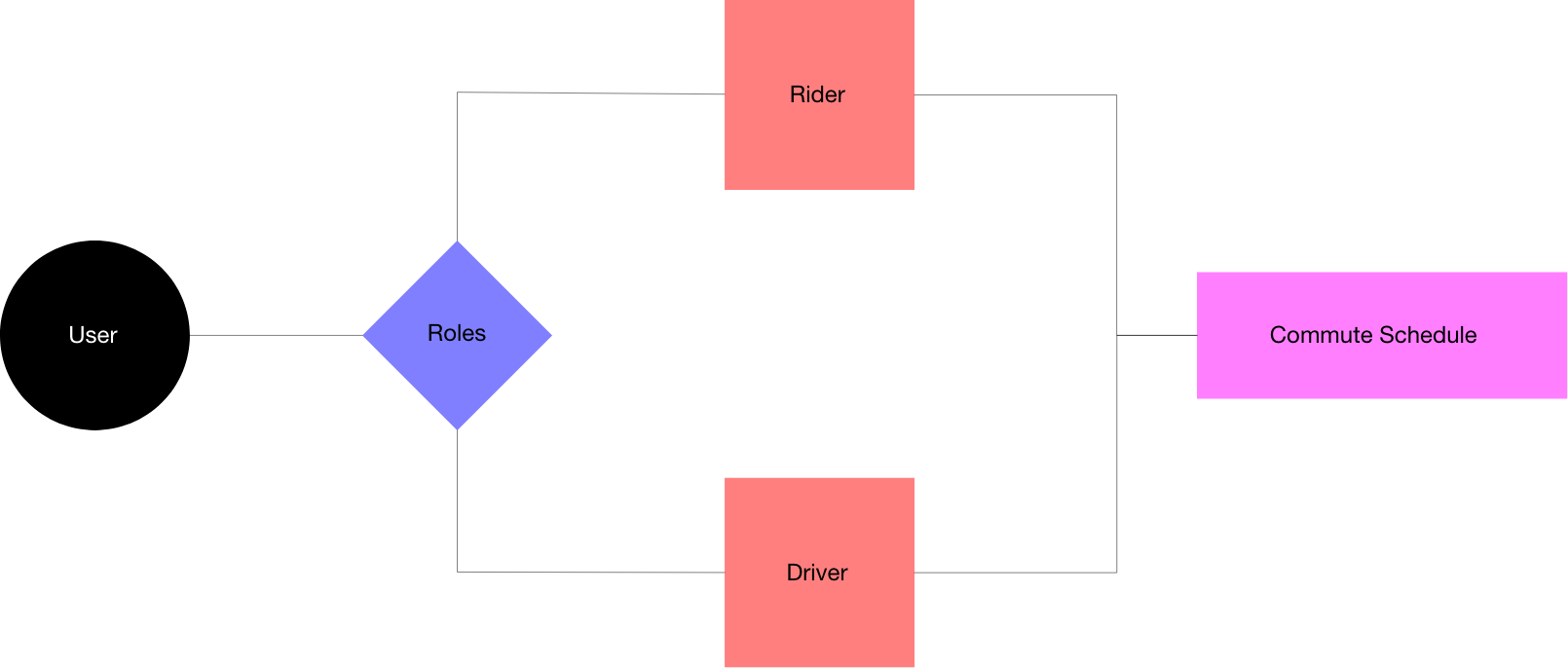
• Flexible carpool roles: Redesigned User Flow 01 so users could seamlessly toggle between Rider and Driver without restarting the process.
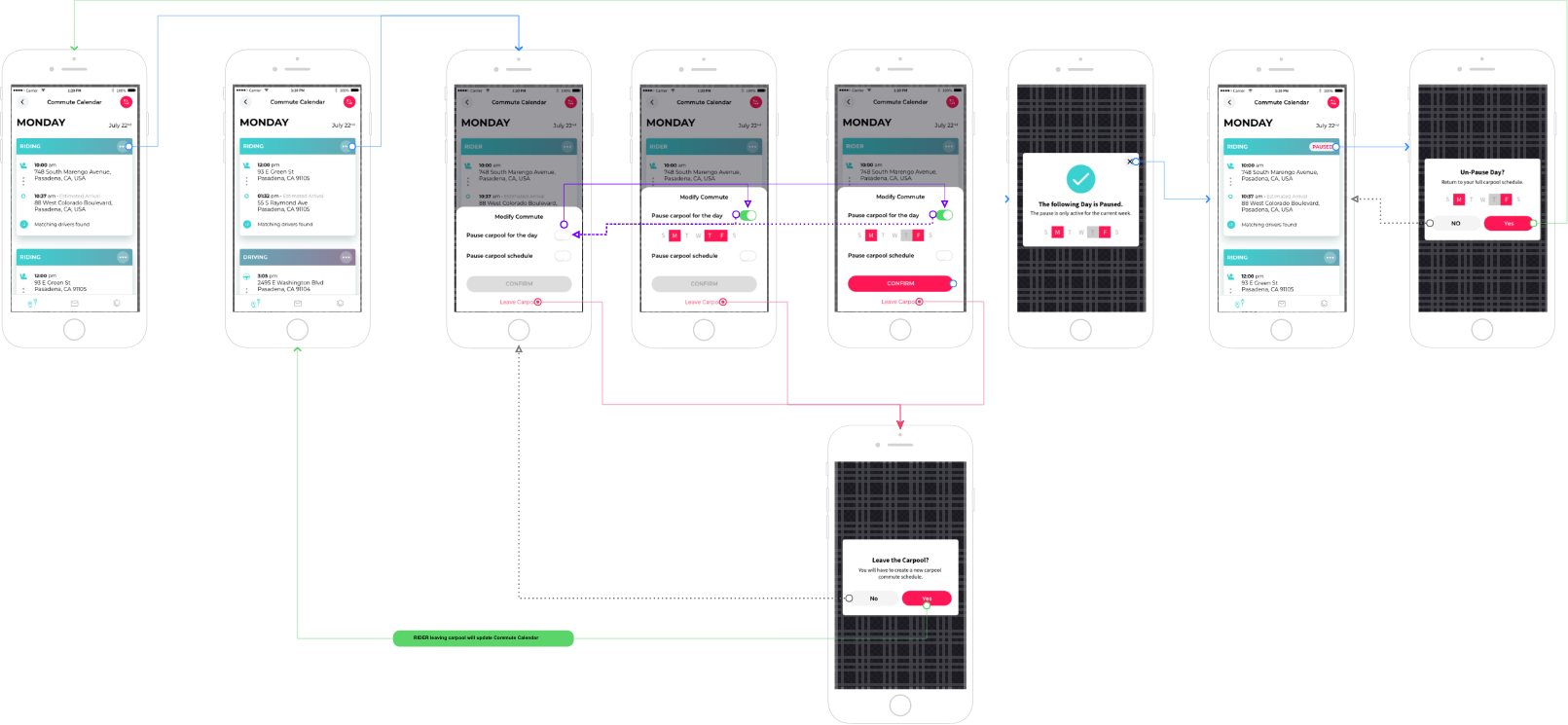
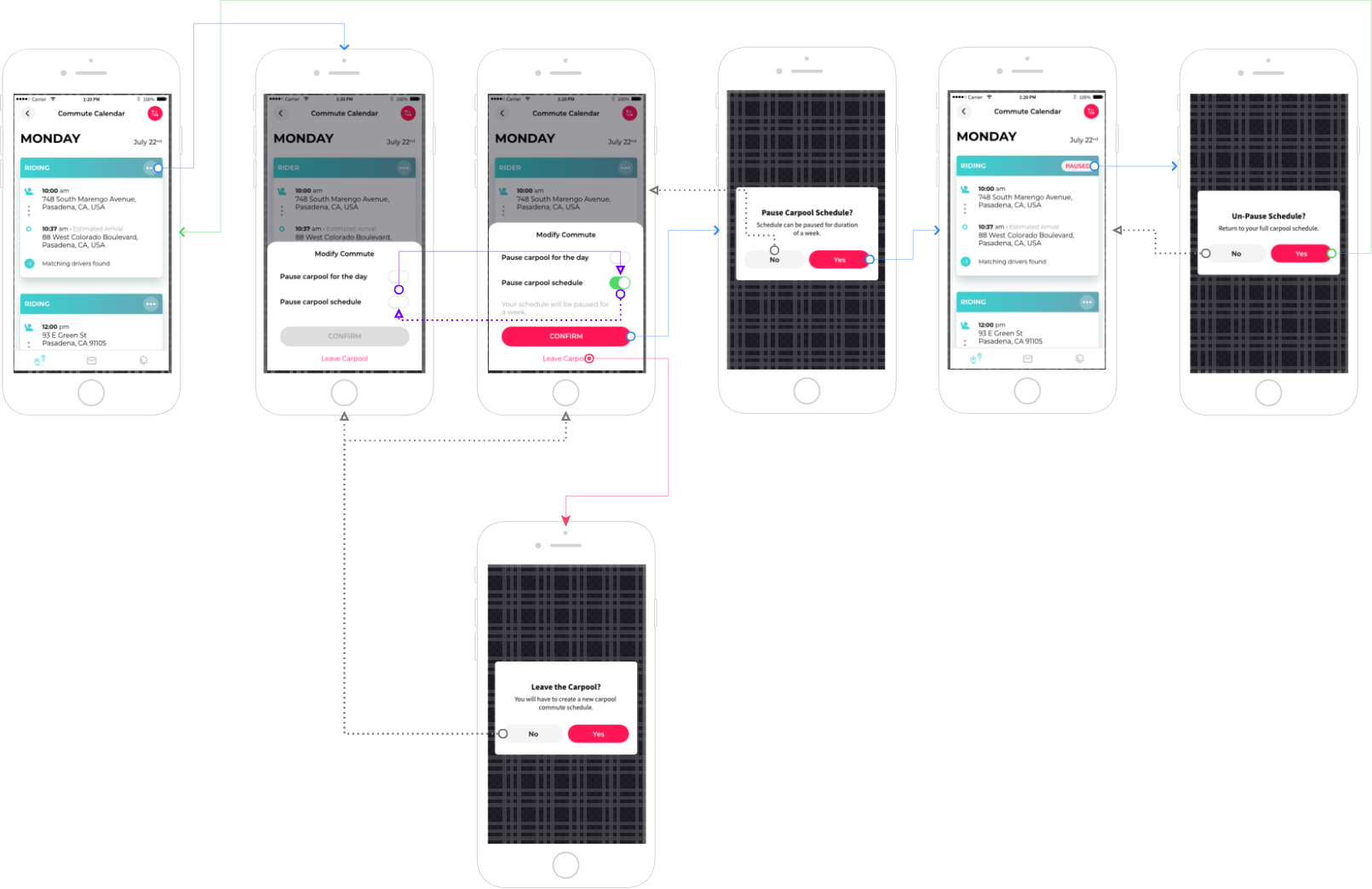
• Ride modification & pausing: Added the ability to pause rides by day or by schedule, and introduced flexible ride-matching for non-recurring riders paired with recurring drivers.
• New brand identity: Introduced an updated UI and branding system that improved visual
consistency, spacing, and hierarchy across every screen.
consistency, spacing, and hierarchy across every screen.
Compliance & Account Management
• Phone verification: A streamlined verification flow was implemented to ensure users could access the app's full feature set, reducing failed verifications by 74%.
• GDPR-compliant account deletion: A clear, accessible flow was built allowing users to permanently delete all personal data, with transparent descriptions of what would be removed.
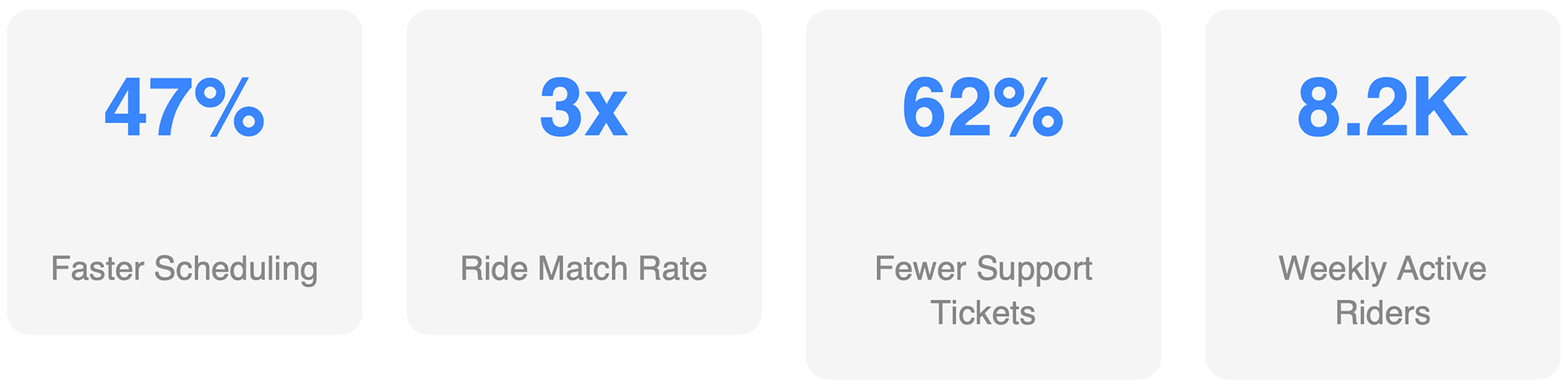
Results & Key Metrics
Challenges Addressed
"After the redesign, I stopped getting confused every time I opened the app. Scheduling my ride now takes less than two minutes."
-- Pilot Program Participant
-- Pilot Program Participant
User Flow 01
Flexible Carpool Roles (both Rider and Driver)
Old Design
Although multi steps in forms can lead to a higher conversion, too many visual-cues with many screens can also become cumbersome with the lack of a step indicator.

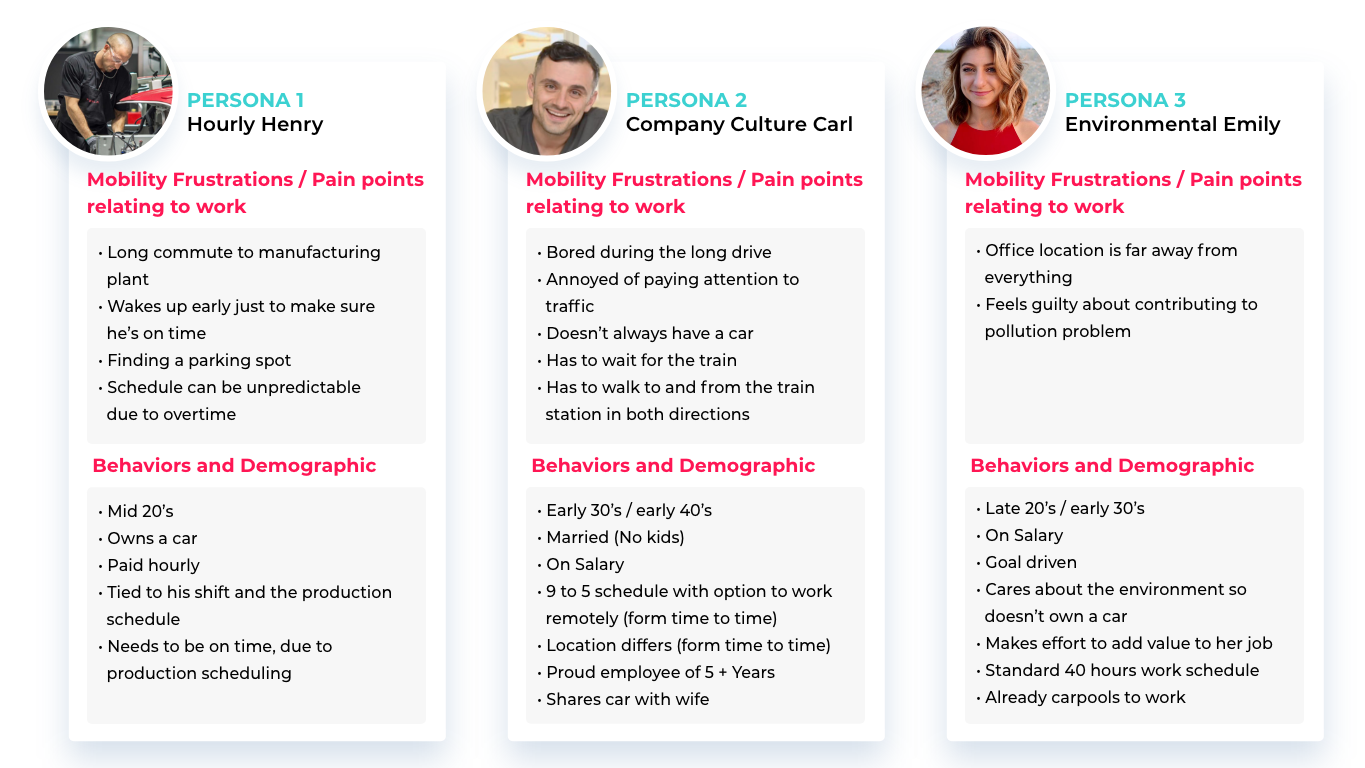
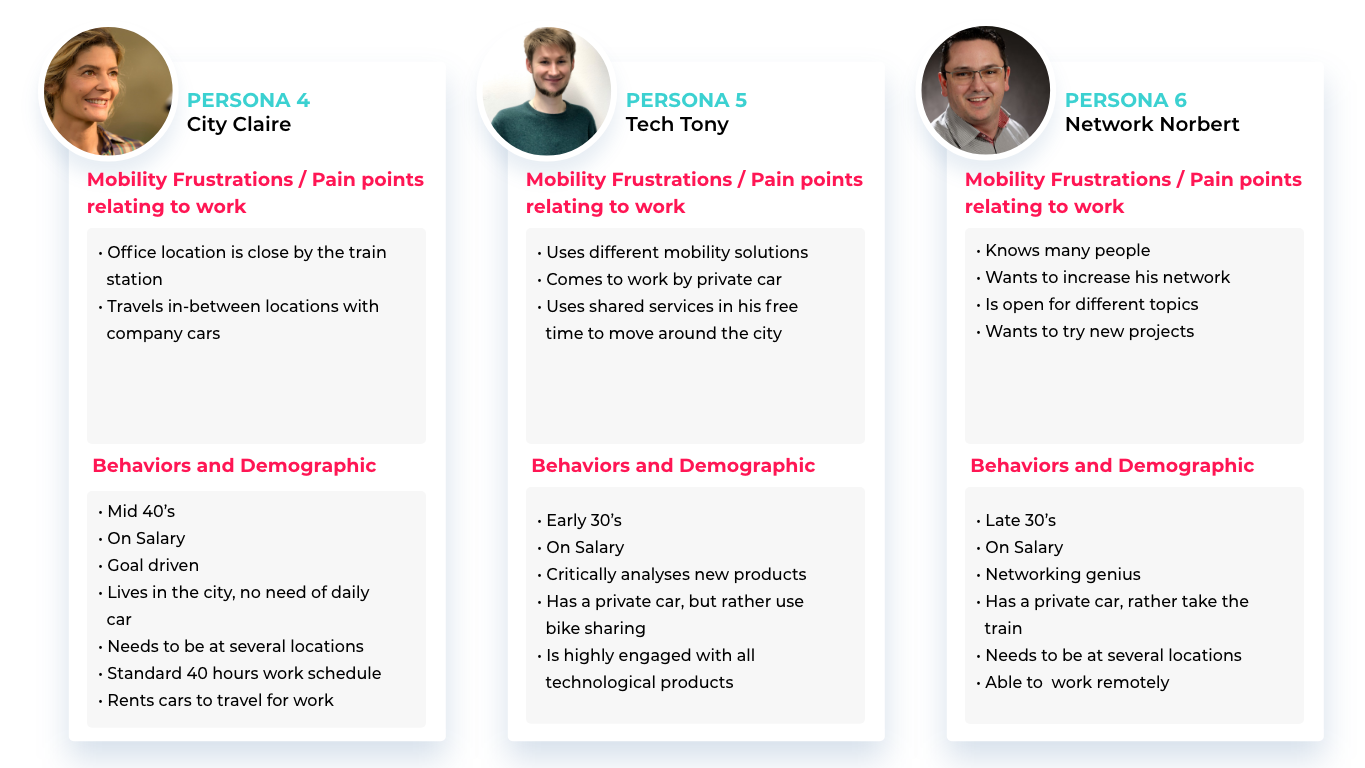
User Personas
Understanding our target user's and their needs.
User Flow 01 - Proposed Design
Reducing the steps with larger and more inviting visual-cues along with improving with the scheduling commute process.
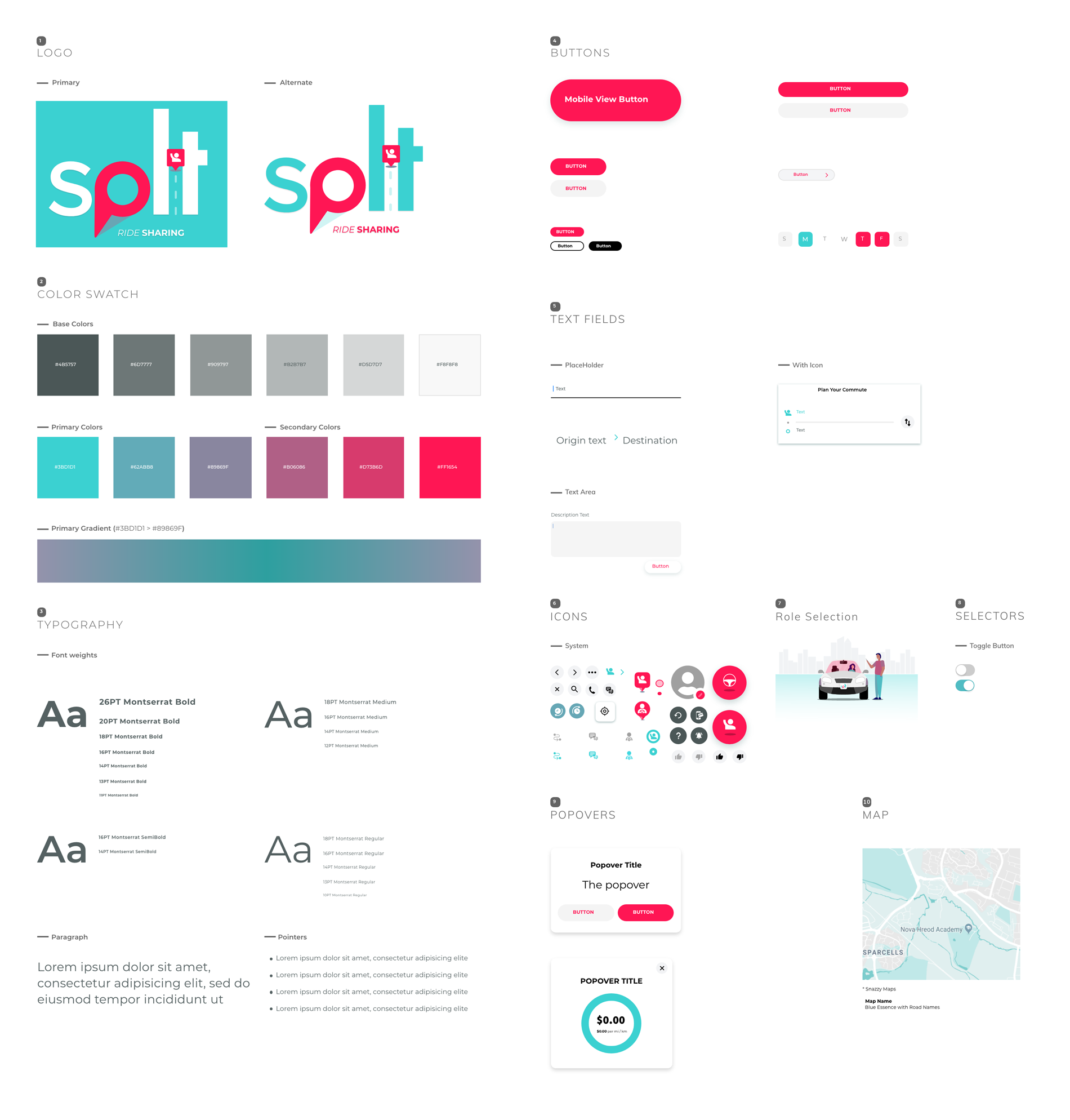
I also saw this as an opportunity to introduce a new UI and Branding.

User Flow 02
Ride Modification

Ride Paused (Day)
Ride Paused (Schedule)
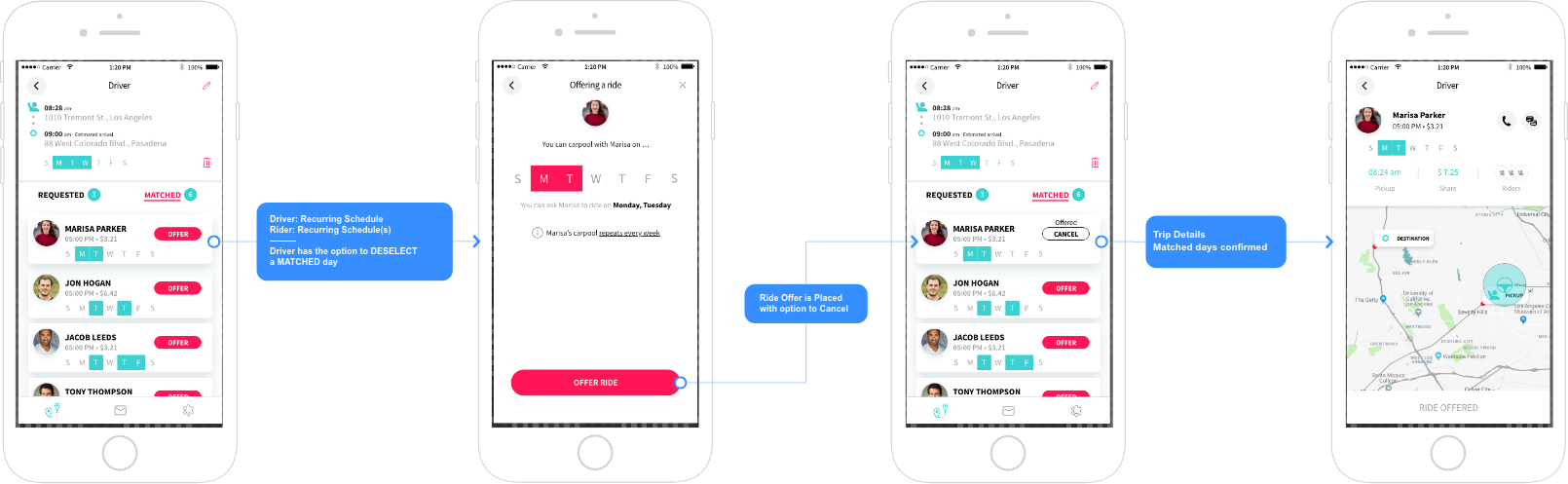
Flexible Rides
Driver has a recurring schedule and is offering a ride to a nonrecurring rider, then the ride offer is automatically
made for the non-recurring date the rider is asking for.
made for the non-recurring date the rider is asking for.

Both the driver and rider have recurring schedules, then the driver needs to take the extra step of selecting the overlapping days of the week they’d like to offer.
Phone Verification
In order for the user to use the app full feature set successful verification is needed. *Flow and mock was done with the Old UI design.

Delete User Account
To meet GDPR (General Data Protection Regulation) Compliance, user’s need to have a way to permanently delete all there information along with a clear description that their information will be deleted.

Design System (Proposed)